

This project, Pokemon Match Game, is a tile-matching game using Unity3D and C#. It covers most of the basic features of this genre. The gameplay is similar to other popular match-3 games: players match three identical items (in this game, Pokémon Assets) in a straight line to eliminate them.
Component Descriptions:
- Biscuits: Biscuits block other Pokémon from falling (updating). If any group around them is eliminated, the biscuits will also be cleared.
- Rainbow Candy: Rainbow Candy appears randomly. When swapped with any adjacent Pokémon, all Pokémon of that type on the screen, along with the Rainbow Candy, will be eliminated.
- Shaking Pokémon: If eliminated by a horizontal move, all Pokémon in that row will be cleared; if eliminated by a vertical move, all Pokémon in that column will be cleared.
- Restart: Restarts the game.
- Enter: Launches the game’s start screen (animated sequence).
Team Contributions:
- Yilin Zhu (Me): Team leads; Empty object generation; core algorithm: filling (movement, diagonal matching); drag-and-swap functionality; line matching, UI design and icon drawing; UI implementation into Unity 3D.
- Lehan Zhou: Background and prefab creation; grid position adjustments; object placement, movement, and diversification.
- Wenjie Chen: L-shaped matching; elimination (match, entire rows/columns, same type); score and countdown control.
Solutions:
Components Used in the Project (Since we are using Unity, I will list the components I am responsible for, including animation components, algorithm analysis, and UI creation, along with their initial property settings, adopted algorithms, methods, etc.)
Empty Block Prefab Component: In the game, Pokémon elements cannot fill the entire interface right from the start; they should fall from the top to the bottom. If there are eliminations at the beginning of our game, these empty spaces will intelligently auto-complete. The idea here is: We should create an empty block called ’empty’, defined previously as an enumeration type, to act as a signaling molecule. Then, we convey this information to other sprite elements that there is now a space available for filling.
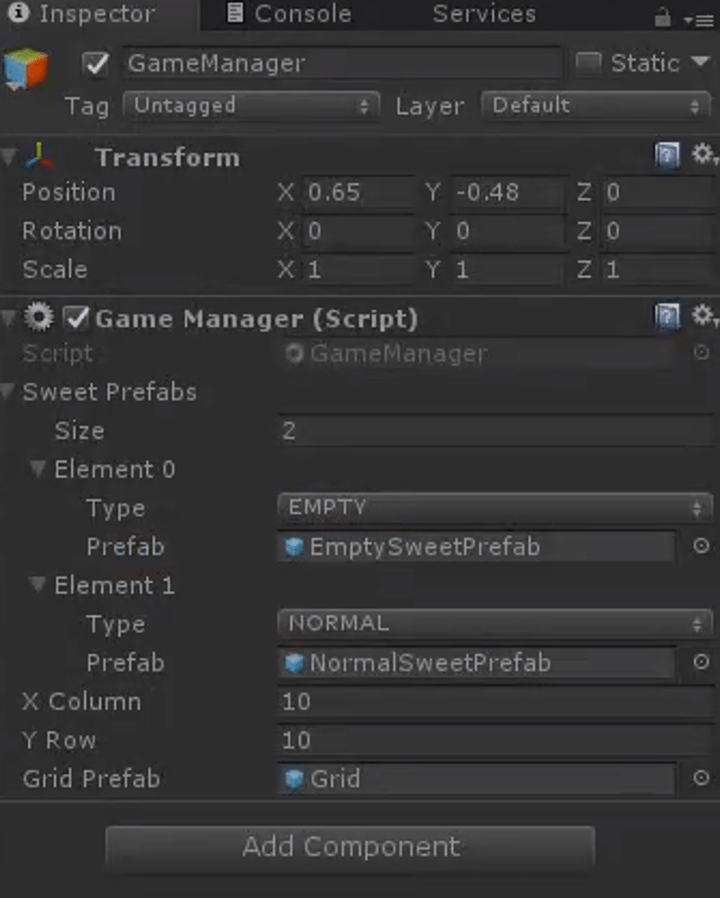
This way, the ordinary sprite elements will fill that position. Therefore, we create a block ’empty’ to serve as a method for generating sprites. (For the creation process, see the code analysis section)
Then, we call this method, at which point empty blocks will fill the screen. We then pass a few parameters into this method and click ‘run’ once the game interface is filled. Below in Unity, set the properties as follows: Add a second element ‘element0’ in the gameManager, whose type is EMPTY, with properties (including dimensions) as shown in the diagram below:
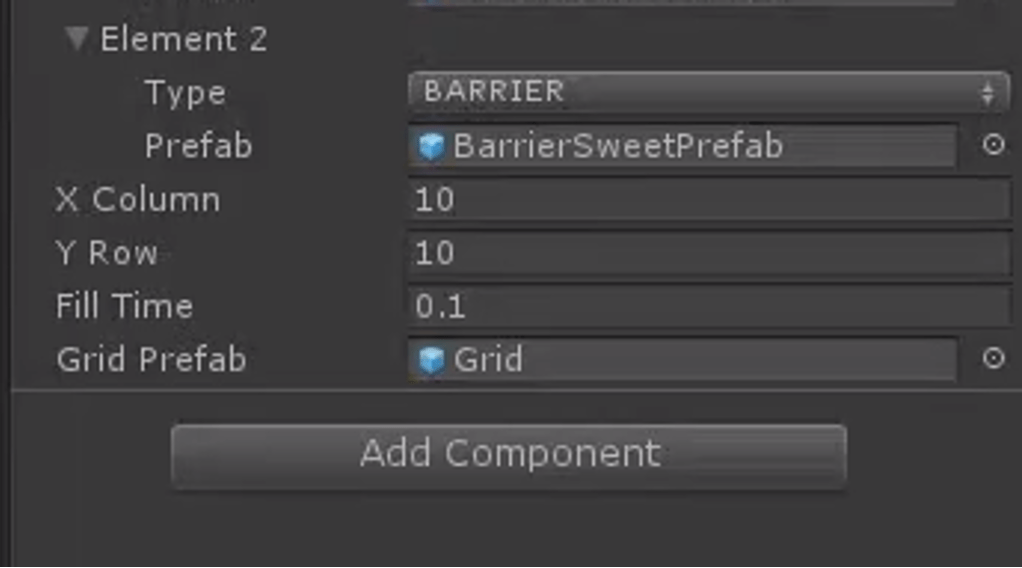
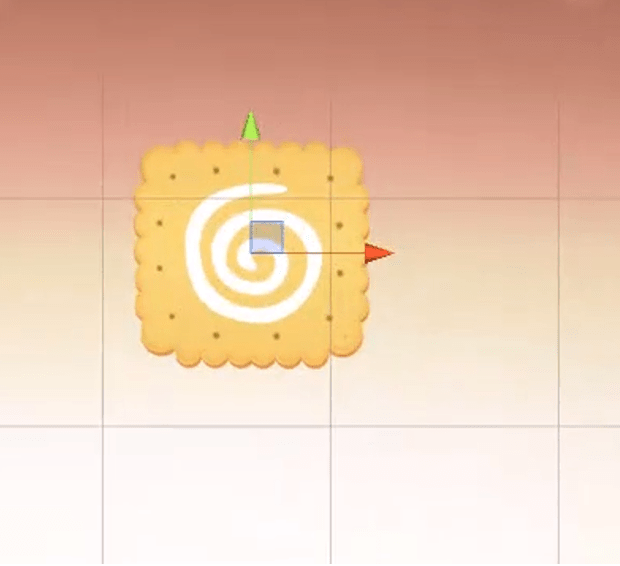
Obstacle Creation: Properties of the obstacles:
Core Algorithm Section: Firstly, I will provide an overview and explanation of the core algorithm. We traverse from the bottom upwards, meaning each traversal starts with the elements at the bottom and we assess whether the current element can move. If it can, it executes the operations. Thus, we traverse from the bottom up. The very last row does not need to be traversed because each fill requires checking whether the sprite in the current cell can move, without having to traverse all game items every time. The last row is at the bottom layer and will not move down any further. Next, let’s look at the penultimate row; each time we traverse to each element, like the one in the image, we determine whether it is a movable sprite.
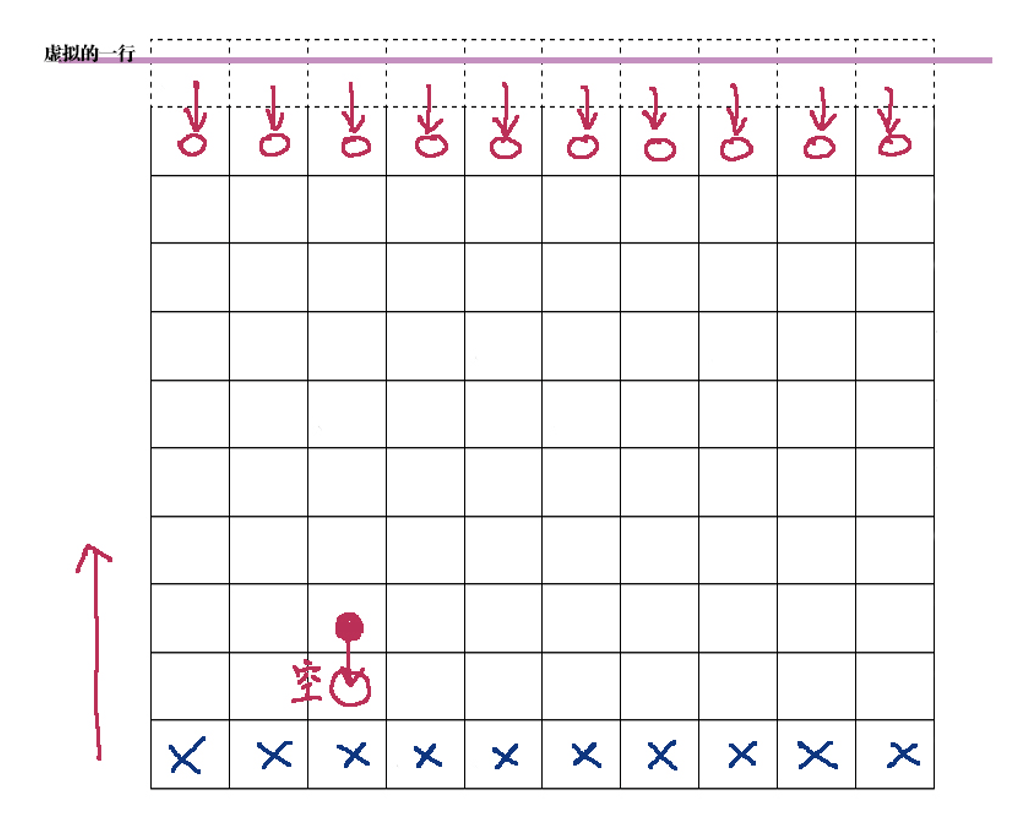
Currently, without many complex types, we classify them into two types: empty sprites and non-empty sprites. If it is a non-empty sprite, meaning it can move, then the next step is to traverse the position directly below it. If it is an empty sprite, then the ordinary non-empty sprites should sequentially move down. At this point, its original position becomes empty, and then we generate a new dessert there. This method continues with sequential traversal, moving down, and filling—this forms the core idea of our core algorithm. For the topmost row, which is special because if it is empty, we cannot fill it as there is nothing above to fill from. At this point, an idea arises: we create a hypothetical row (represented by a dashed line in the diagram), which is at the very top. We let it generate elements each time we finish editing, and when we traverse to the lowest row, we first check if the current cell is empty, if it is, then the row directly above should fill downwards.
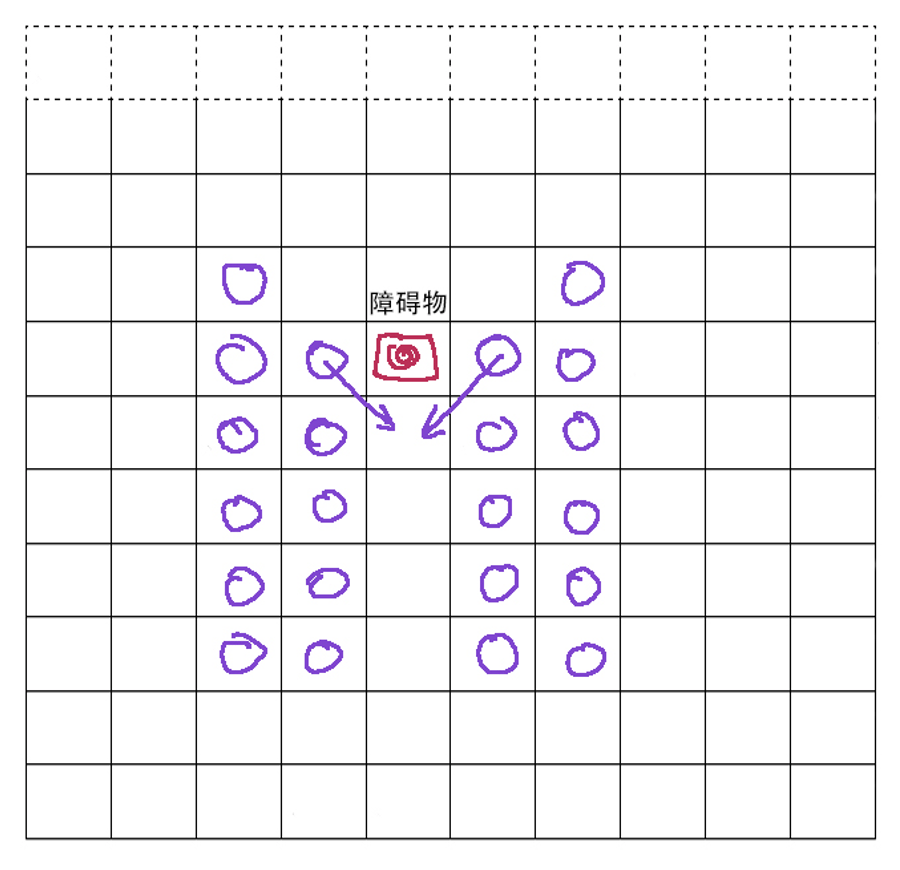
This is our core algorithm and central idea. We divide this algorithm into two steps for writing: one part involves complete filling, and the other part involves partial filling. Complete filling is considered a major action, and each instance of partial filling is considered a small step. Therefore, the first method we need is a complete filling method, then further refined into distributed filling. Filling is further divided, including vertical filling (vertical direction) and diagonal filling developed due to the presence of obstacles.

 YILIN ZHU
Leave a reply to Game Projects Cancel reply