
Spedia: AR Sign Identifier App
Project time: June 2021 – July 2021 (Duration: 40 Days, 3 hours/day)
Individual project: All tasks are done by myself
Keywords: App design, Design system, UX research, Augmented reality
Problem define:
Despite the global presence and importance of signs in daily life, many people struggle to recognize or understand them. The pictorial nature of signs makes it challenging to retrieve relevant information, leading to potential confusion and inconvenience.


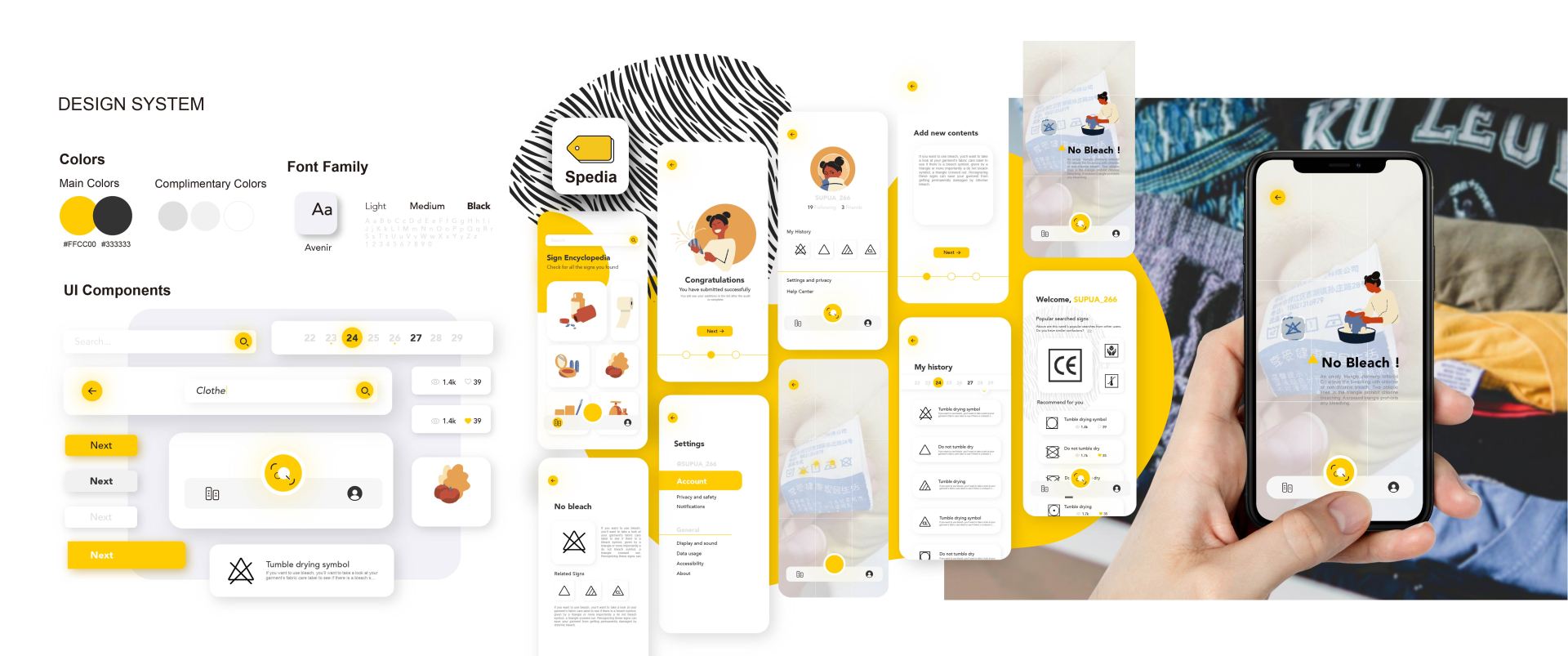
To address this issue, I designed an augmented reality (AR) mobile app that uses image scanning technology to identify signs and provide users with detailed information, including fun facts and historical insights.
History of the Signs:
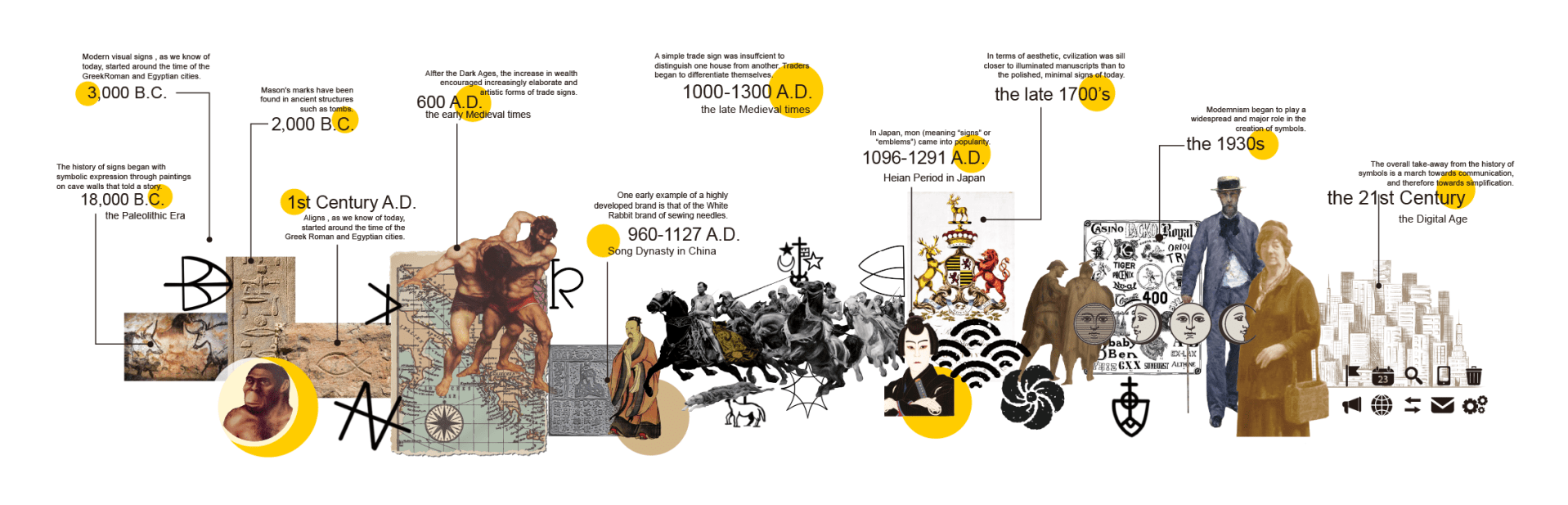
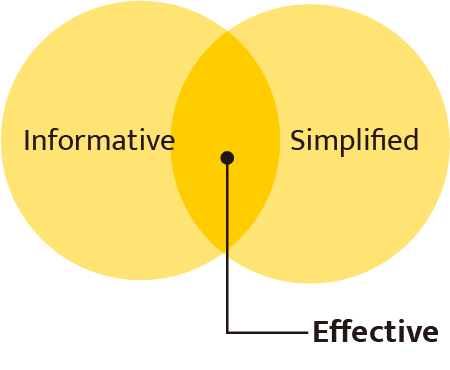
Research Background: Signs are an integral part of human communication, subtly influencing our interactions and behaviors. They are often designed to be informative and simplified, making them effective at conveying messages.
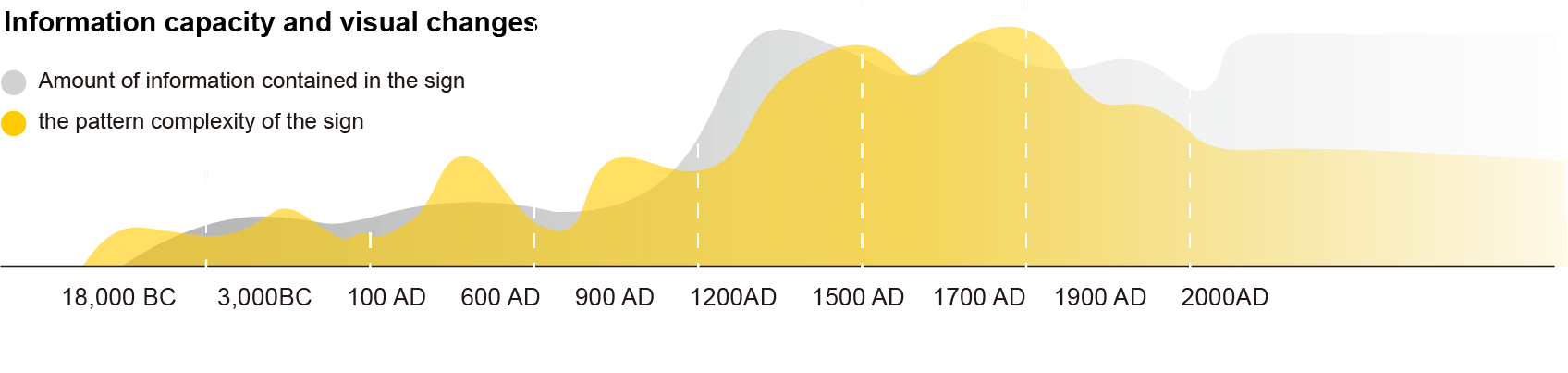
However, due to their graphical rather than textual nature, understanding signs can be difficult. This gap in comprehension inspired me to explore solutions that leverage modern technology to enhance recognition and learning.
User Research and Experiment: To validate the need for this app, I conducted a user research study involving four groups, each with eight participants. The study followed these key steps
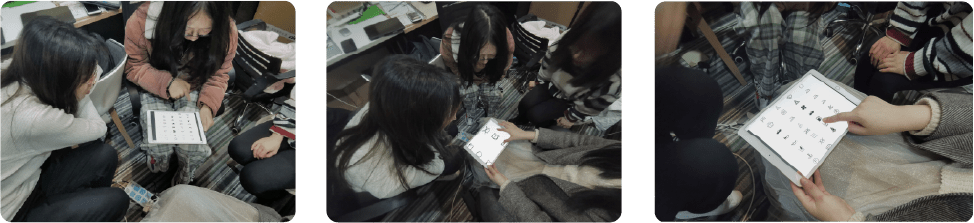
Pre-Experiment Survey: Participants were asked to self-assess their familiarity with signs by answering the question: “How often do you encounter situations where you cannot understand signs?”

Identification Task: Participants were given a set of signs to identify using any method they preferred. This phase tested their ability to retrieve sign information without assistance.
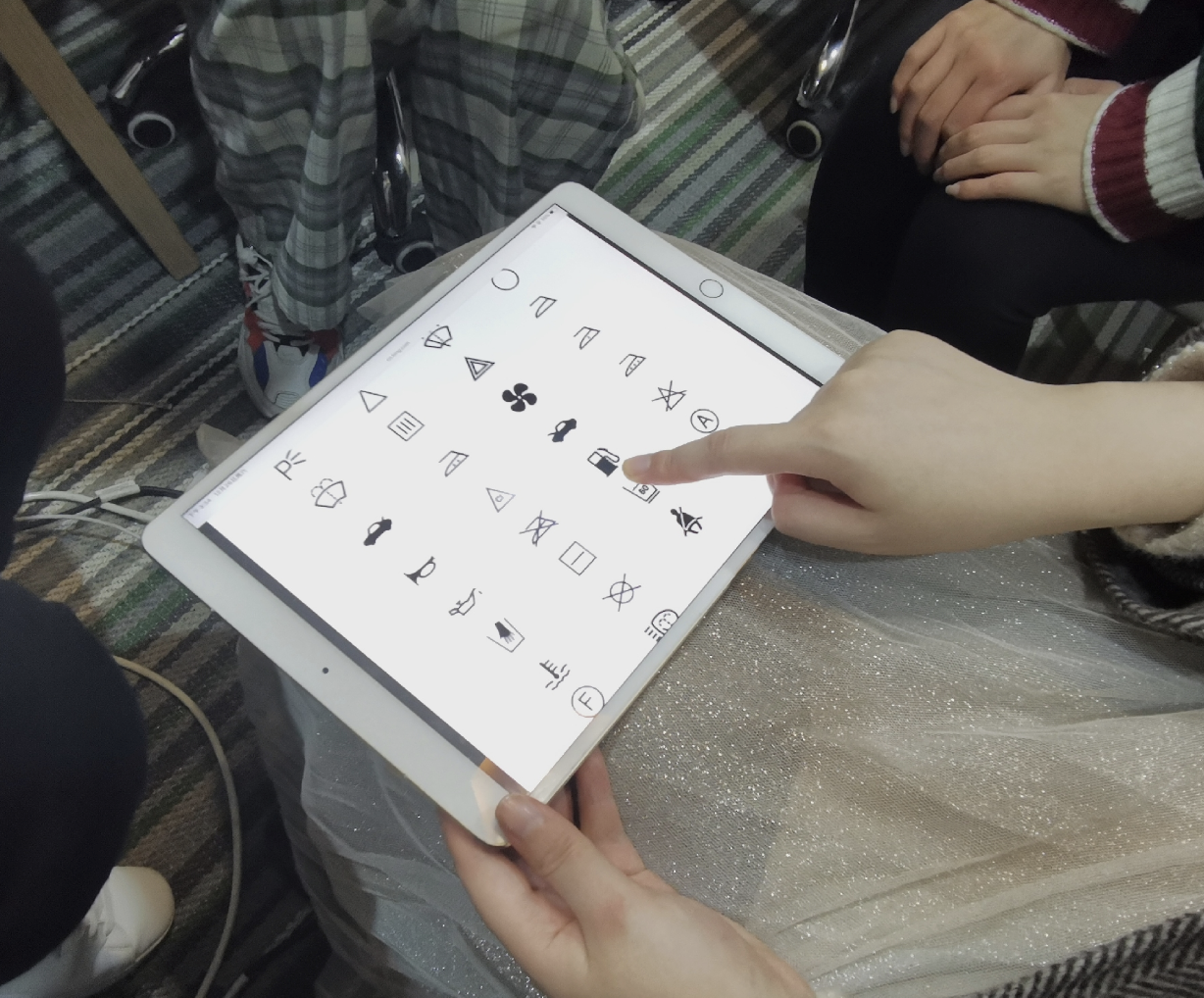
Post-Experiment Feedback: The same question from the pre-experiment survey was posed to gauge changes in confidence and familiarity. Additional questions included:
- Which types of signs cause the most confusion?
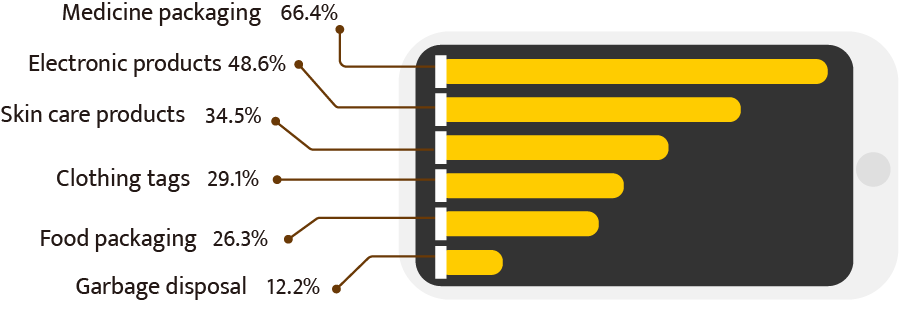
- What impact does the inability to understand signs have on your daily life?

- What do you do when you encounter a sign that you don’t recognize?

- What challenges prevent you from recognizing signs?
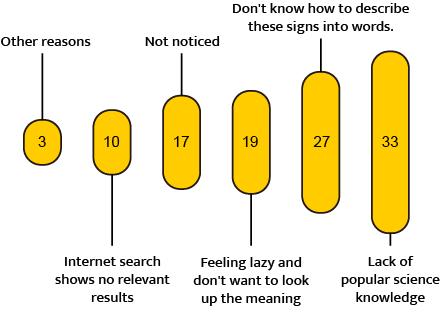
User Journey and Pain Points: Based on the research, I created a storyboard to map the user journey, highlighting when and where people typically encounter confusion. This helped define key pain points, such as:
- The lack of immediate access to sign information.
- The difficulty in identifying signs with complex or unfamiliar symbols.
Storyboard
Based on the data and user research results, I visualized a specific scenario where people urgently need help identifying signs they can’t recognize or understand.

Problem defined:

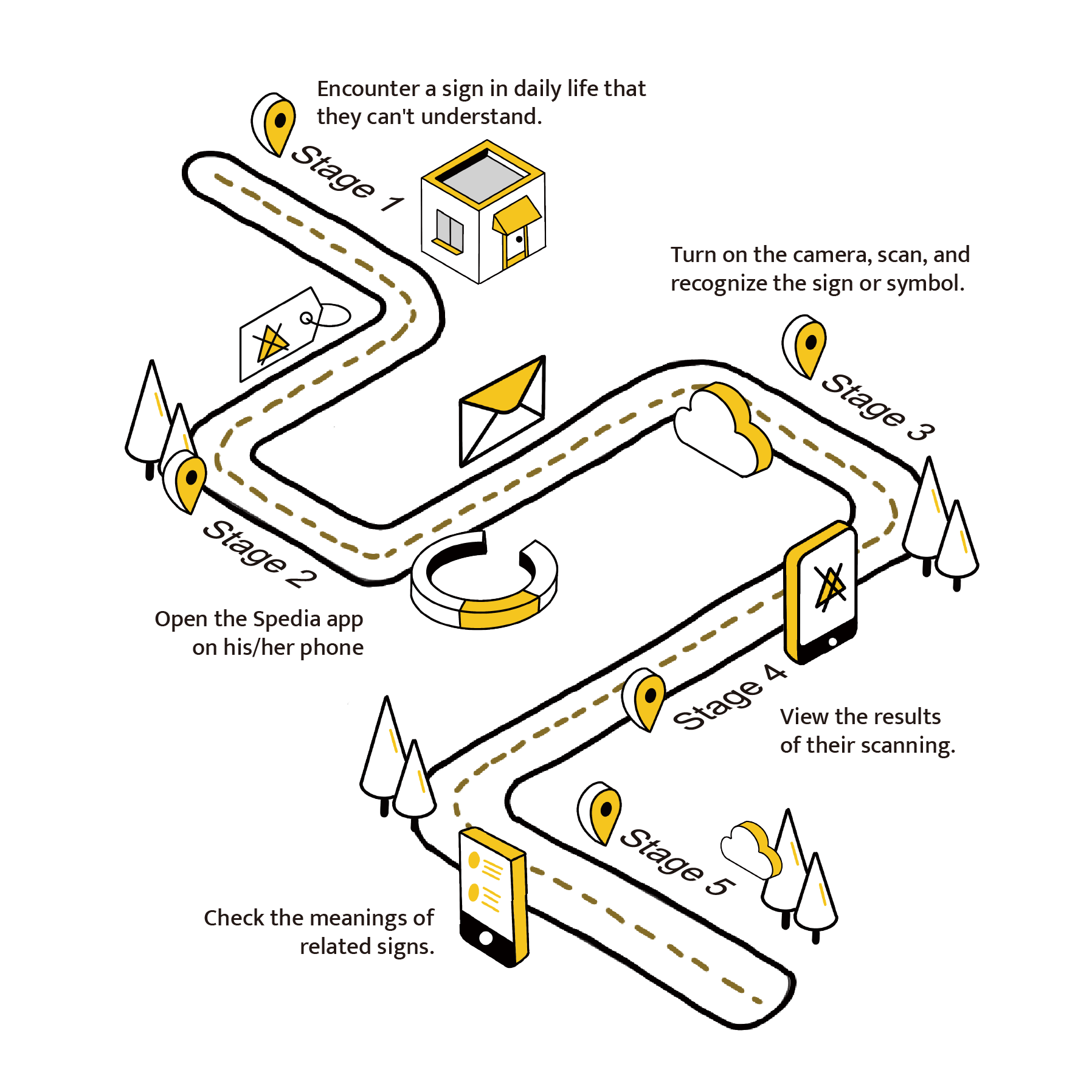
User Flow:
On the left is a general user flow designed to address the problem outlined above. This problem is broken down into five stages or steps.
By using a mobile phone camera, users can scan signs and quickly receive answers from our comprehensive database powered by machine learning. The system ensures precision by comparing the user’s photo with existing images in the database, providing accurate matches and potential recommendations even for low-quality images.
Design and Solution: With the insights gained, I developed a user flow that demonstrated the typical process users would follow when searching for sign information.
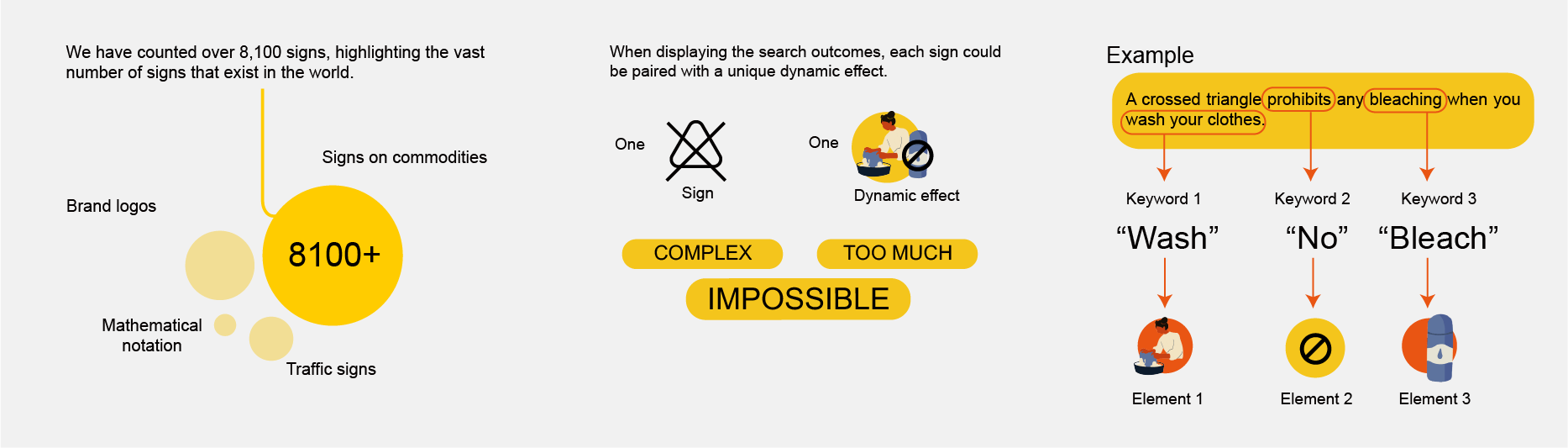
Technical considerations and design:
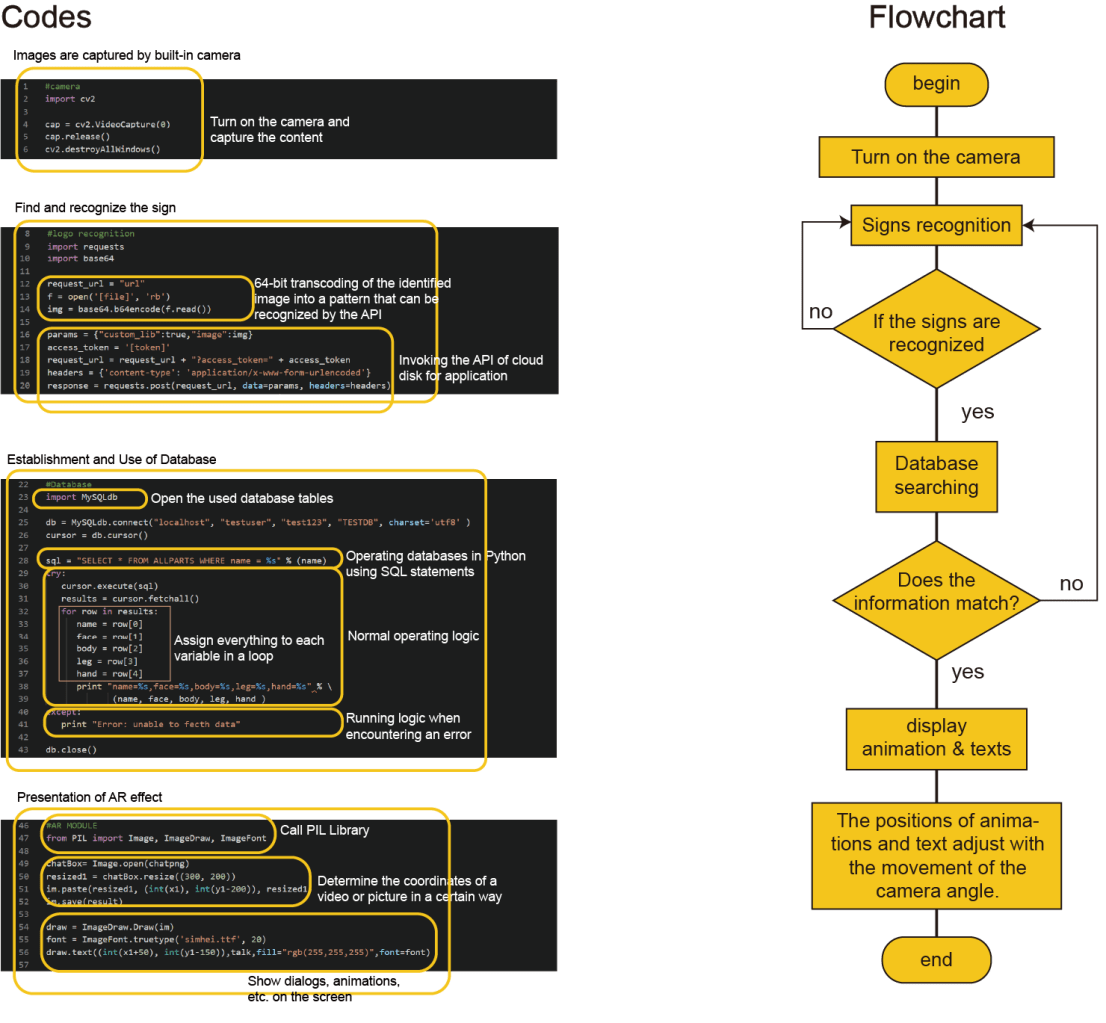
Development Process:
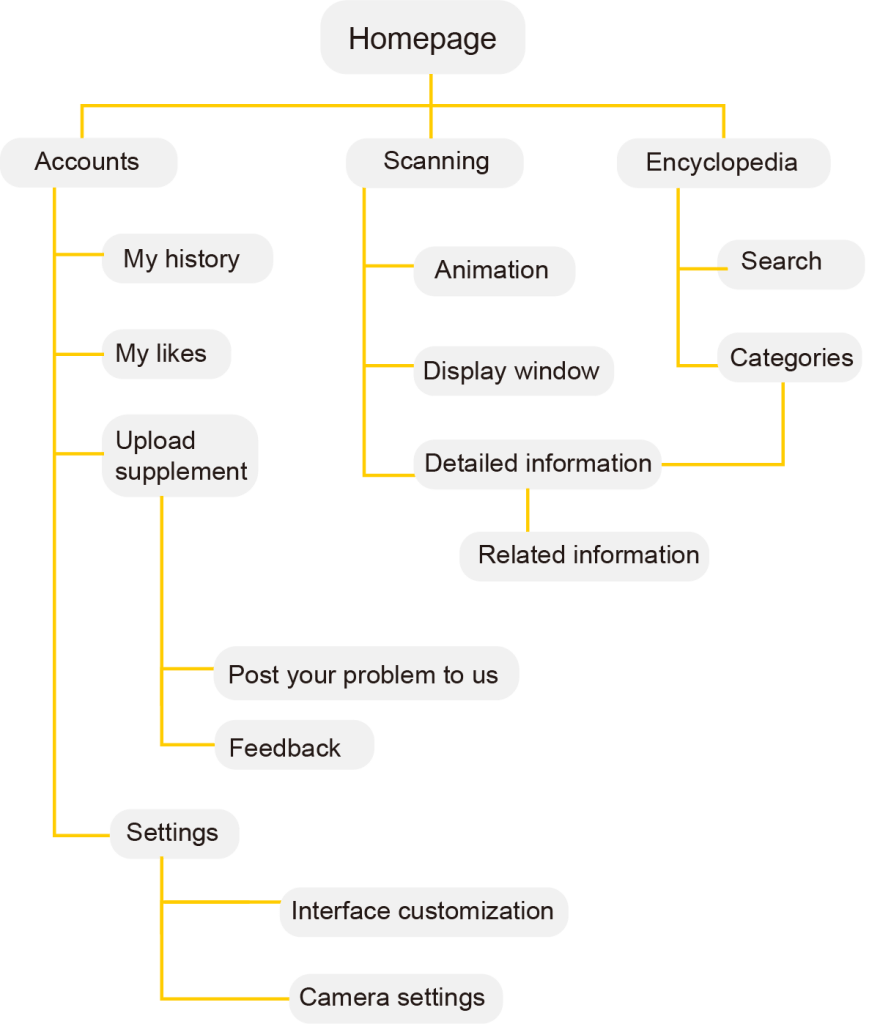
1. Sitemap Creation:
I outlined the necessary app pages and features to ensure comprehensive functionality.
2. Wireframing and Testing:
I created wireframes and conducted a second round of user research to verify that the proposed features met user needs.
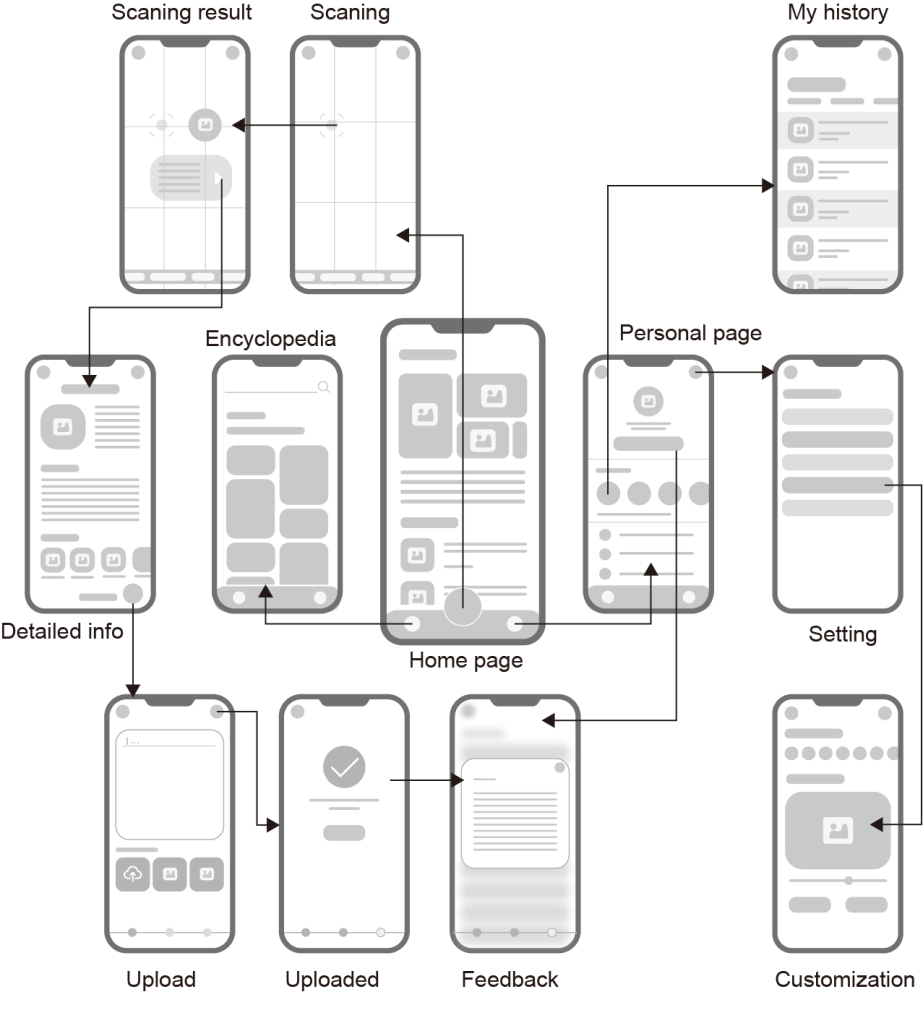
3. Iterative Refinement:
Based on feedback, I refined the wireframes and moved to the development of the high-fidelity prototype.

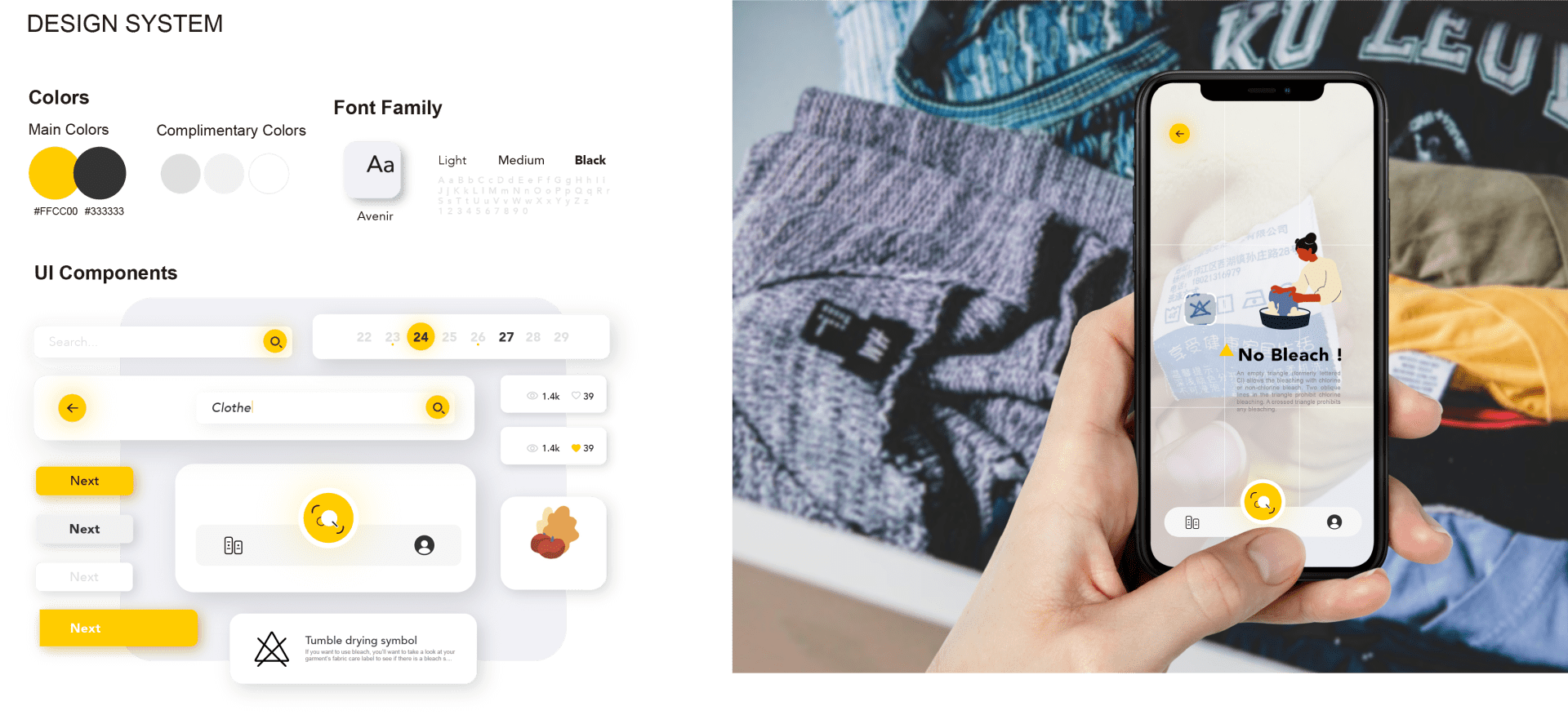
Through research and experimentation, I realized that signs, while visually universal, often present language barriers. This project allowed me to create a bridge between visual symbols and their linguistic meanings, making complex information accessible across different languages. It deepened my appreciation for how thoughtful design and innovative technology can empower users and transform how they interact with their environment, fostering understanding and inclusivity.
That’s all I want to share about this project. Thank you so much!
 YILIN ZHU
Leave a comment